Best Craft Cutting Machines for DIY Projects and Sticking Creations
Find the right craft cutting machine for your needs. This guide highlights five versatile options that appeal to crafters, hobbyists, teachers, and small makers. Whether you’re making vinyl decals, custom stickers, scrapbooking embellishments, or classroom projects, these machines balance precision, ease of use, and connectivity. The top picks include models for beginners and for more advanced users who require AI-assisted cutting, built-in scanners, or portable design. Use the buying guide and FAQs to compare features and decide which machine best suits your workflow and space.
| Product | Main Strength | |
|---|---|---|
| Likcut S41 Vinyl Cutter | Simple 3-step workflow, dual-mode connectivity | Casual crafters and sticker makers |
| Cricut Explore 5 Essential Bundle | 100+ materials, bundled supplies, high automation | Projects with varied materials and quick starts |
| Brother ScanNCut SDX85C | Built-in scanner, many patterns, auto blade | Designers who want scanning and precise cuts |
| Likcut S501 | Fast cuts, stable wireless/USB connectivity | Time-sensitive tasks and batch production |
| Liene PixCut S1 | All-in-one print-and-cut with AI auto-cut | Stickers, labels, and small gifts |
Buyer profiles you’ll find among these options include: crafters seeking straightforward vinyl cutting; teachers needing classroom-friendly machines; scrapbookers and DIY decorators who want faster turnarounds; small business makers who require reliable connectivity and robust cutting paths; and digital artists who benefit from AI-assisted edge recognition. The selections below aim to cover these use cases with practical strengths and clear limitations.
Likcut S41 Vinyl Cutter Machine
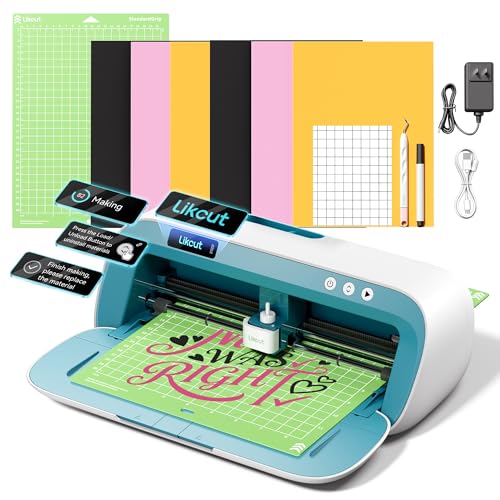
The Likcut S41 uses a 3-step workflow to streamline vinyl projects. It supports both wired and wireless connections, which helps avoid interruptions during a cut. The system emphasizes micro-precision control with an accuracy tolerance of 0.2 mm, aided by automatic calibration through its sensor and smart algorithm. Best for: hobbyists who want a straightforward setup and steady performance for room decor, HTV, and custom stickers. Limitation: may require manual tweaks for very thick materials or complex multi-layer designs.
Cricut Explore 5 Essential Bundle

The Cricut Explore 5 is a compact, versatile cutting machine designed to handle over 100 materials. It features precision cutting, writes, draws, foils, scores, and cuts intricate designs with a new simplified interface. The Essential Bundle includes Smart Vinyl, Smart Iron-On, and other supplies to support up to 65 projects, plus 25 premium images and 1 font. Best for: crafters who want a robust, out-of-the-box setup with broad material compatibility and scalable project options. Caution: the bundle can be more expensive upfront, and some users may prefer a dedicated tool for thicker materials.
Brother ScanNCut SDX85C
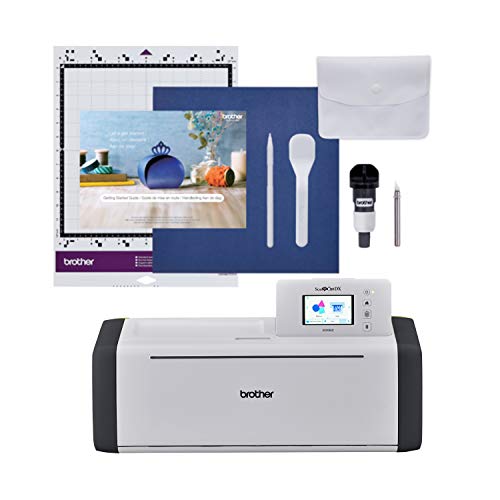
The Brother ScanNCut SDX85C integrates a built-in scanner to convert drawings into cut files, enabling direct cuts from printed designs. It ships with 251 built-in designs and supports USB and wireless connections for expanding patterns. A 3.5-inch touchscreen simplifies navigation, and its auto blade sensor detects material thickness with minimal blade adjustments. Best for: users who want to scan their own drawings or photos for precise cuts. Caution: scanning quality depends on the original artwork, and thicker materials may still require blade adjustments.
Likcut Vinyl Cutter Machine S501
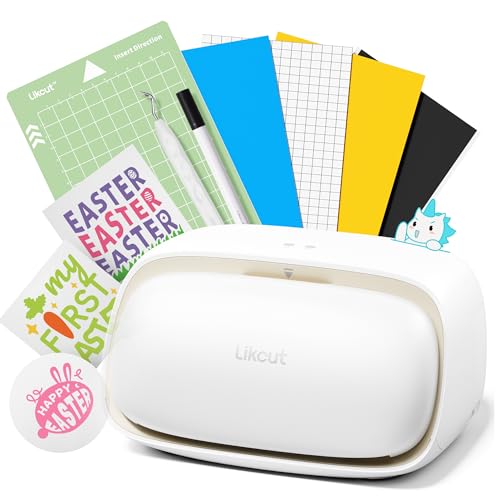
The Likcut S501 offers stable connectivity with Bluetooth 5.0 and USB 2.0, enabling quick pairing and reliable operation in both wired and wireless modes. It cuts up to 3.2 inches per second and supports long runs with a durable blade that handles thousands of meters of vinyl. The built-in front storage keeps tools organized for frequent projects. Best for: small shops or classrooms with time-sensitive deadlines. Caution: performance may vary with very thick materials or multi-layer tasks.
Liene PixCut S1 Color Sticker Printer & Cutting Machine

All-in-one design, the Liene PixCut S1 prints and cuts in one step via Bluetooth from a smartphone. AI image extraction identifies subjects for precise edge-following cuts, delivering edge-to-edge accuracy. Prints at up to 300 dpi with vibrant color thanks to dye-sublimation technology, which supports photos, stickers, and labels. Best for: sticker makers and gift creators who want a compact, integrated workflow. Caution: dye-sublimation requires compatible heat press accessories for full effect.
Buying Guide
What should you consider when choosing a craft cutting machine?
- Material compatibility: Do you primarily work with vinyl, cardstock, fabric, or thicker materials?
- Cutting precision: Look for tolerance figures (e.g., 0.2 mm) and auto-calibration features for accuracy.
- Connectivity: Do you need Bluetooth, USB, or dual-mode connectivity to fit your workspace?
- Built-in features: Scanners, AI-assisted cutting, or print-and-cut capabilities add versatility but raise cost.
- Ease of use: A clear app, intuitive workflow, and bundled supplies can speed up projects for beginners.
- Space and portability: Consider machine footprint if you have limited desk space.
- Expansion and compatibility: Availability of additional blades, mats, and third-party designs matters for growth.
Frequently Asked Questions
- What is the main difference between a cutter and a printer-c Cutter? Answer: A cutter only cuts designs from materials like vinyl, while a printer-cutter can print images before cutting, enabling full-color decals and complex stickers.
- Which machine is best for beginners? Answer: Machines with straightforward interfaces, good online tutorials, and bundled starter supplies typically suit beginners well.
- Is built-in scanning necessary? Answer: It’s helpful for designers who want to convert drawings to cut files directly, but not essential for straightforward vinyl work.
- Can these machines cut thick materials? Answer: Some models support thicker materials with deep-cut tools or separate blades; check the manufacturer specs for thickness limits.
- What’s the advantage of a bundle? Answer: Bundles provide ready-to-use materials and templates, reducing initial setup costs and time to first project.
- Do these machines require professional installation? Answer: Most are plug-and-play with software setup guided by the manufacturer app.
Leave a Reply