Best Digital Cutting Machines for DIYers and Crafters in 2026
Answering the buyer’s search with clarity: this guide compares top digital cutting machines that cut, draw, and scan for home projects, wall art, cards, labels, and more. Best for hobbyists who want built‑in scanners, or for crafters who prioritize broad material support and easy software workflows. Below, five well‑matched options are presented with practical pros, best-use cases, and realistic tradeoffs.
| Product | Best For | Why It Stands Out |
|---|---|---|
| Brother ScanNCut SDX85C | Users who want built‑in scanning | Automatic blade sensing and 251 built‑in designs |
| Cricut Joy Xtra | Small projects with color printing | Print-Then-Cut capability and broad material support |
| Likcut S41 | Budget-conscious makers seeking precise cuts | 3‑step workflow and 0.2 mm accuracy |
| Brother ScanNCut SDX125E | Large library projects and stickers | 682 patterns and built‑in scanner for direct cutting |
| Cricut Explore 5 Essential Bundle | Versatile, ready-to-mest projects kit | 100+ materials support and bundled supplies for up to 65 projects |
Note: This article uses objective descriptions based on listed features to help buyers compare capabilities, materials compatibility, and workflow considerations.
Brother ScanNCut SDX85C Electronic Cutting Machine
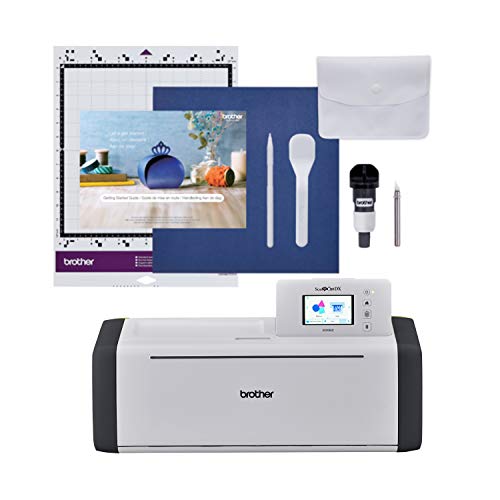
The built-in scanner is a standout feature for this model. It converts scanned drawings into cut files and supports direct cutting of printed materials. The 251 included patterns offer immediate project options, and USB/wireless connectivity enables adding extra patterns. The 3.5″ touchscreen makes design adjustments straightforward. Best for crafters who want to scan artwork and align cuts without manual measurement.
- Best for users who want a built-in scanner and direct cut workflow.
- Why selected: broad pattern library plus easy access to custom designs via USB or wireless.
- Limitation: no material selection required, but trial cuts are advised to ensure exact results on some materials.
Cricut Joy Xtra Digital Version

The Joy Xtra expands beyond simple cuts with drawing and basic foiling, plus Print-Then-Cut compatibility under Inkjet printers. It works well for small, quick projects such as cards, decals, and labels. Its compact form makes it suitable for tight spaces or mobile crafting setups. Best for beginners or crafters who value color printing and quick turnaround on small formats.
- Best for: compact workspaces and color-capable projects.
- Why selected: strong entry‑level workflow with flexible material support.
- Limitation: Print-Then-Cut requires compatible inkjet results and setup.
Likcut S41 Vinyl Cutter Machine
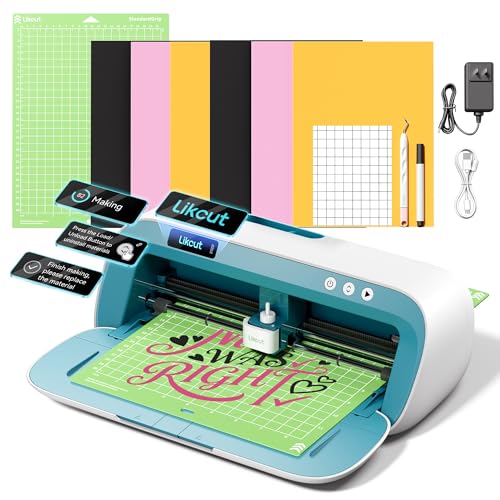
The S41 emphasizes a streamlined 3‑step workflow with a strong focus on stability and ease of use. It supports wired and wireless connections, and precision is driven by a 0.2 mm tolerance. This model suits classrooms and home studios where straightforward operation and reliable cuts are valued. Best for: new users who want a predictable, easy-to-learn interface.
- Best for: beginners seeking a simple, guided workflow.
- Why selected: clear interface and reliable connectivity reduce setup friction.
- Limitation: may have fewer built‑in patterns than some larger brands.
Brother ScanNCut SDX125E Electronic DIY Cutting Machine

The SDX125E builds on ScanNCut’s scanner concept with a larger pattern library: 682 included designs, including quilting patterns and fonts. The 5″ touchscreen is a practical control hub for assembling complex projects. Best for crafters who want extensive built‑in designs and a seamless scanning-to-cut workflow for large projects like stickers and wall art.
- Best for: designers who want more patterns and fonts built in.
- Why selected: broad pattern library plus easy scanning to cut workflow.
- Limitation: larger screen and feature set can require a learning curve for new users.
Cricut Explore 5 Essential Bundle

The Explore 5 is a versatile cutting machine with multi-material support and a simplified interface. It can write, draw, foil, and cut across 100+ materials. The Essential Bundle adds key supplies to support up to 65 projects, making it a practical starter‑to‑midrange kit. Best for: project creators who want variety and a robust out‑of‑the‑box set of tools.
- Best for: users who want broad material compatibility and an included starter kit.
- Why selected: well-rounded for a wide range of crafts and repeated projects.
- Limitation: newer users may need to explore some design features in Design Space.
Cricut Explore 4 Smart Cutting Machine

The Explore 4 emphasizes ease of use with bundled materials and digital content. It layers drawing, foiling, and scoring capabilities with cut operations, and supports Print-Then-Cut for color designs. Best for: users who want a compact but capable machine for cards and decals with a simple setup.
- Best for: compact, beginner-friendly workflows.
- Why selected: strong entry point with ample bundled materials for initial projects.
- Limitation: may require more time to master advanced Design Space features.
Cricut Joy 2 Essential Bundle

The Joy 2 emphasizes ultra-compact design with quick projects. It supports 75+ materials, including vinyl and cardstock, and can print, cut, foiling, and scoring. Best for: shoppers who need a travel-ready option for cards and small decals, with color printing support via inkjet compatibility.
- Best for: on‑the‑go crafting and small, frequent projects.
- Why selected: compact footprint and popular material support.
- Limitation: small working area compared with full‑size machines.
Buying Guide
What should you consider when choosing a digital cutting machine?
- Project scale and materials: If you cut vinyl, cardstock, or fabric, ensure the machine supports your must-have materials; some models favor vinyl and thin papers, others support thicker materials with optional tools.
- Built-in features: Scanners, Bluetooth, and USB access affect how you import designs and place cuts. Built-in scanners enable direct tracing of hand-drawn art.
- Design ecosystem: Some brands rely on cloud software and subscription services; others offer offline design libraries. Consider whether you prefer local file workflow or online design spaces.
- Ease of use vs. flexibility: Beginner options prioritize guided workflows; advanced models offer deeper customization, broader materials, and larger design libraries.
- Project variety: If you plan to make cards, wall art, decals, and hats or apparel, photorealistic printing or Print-Then-Cut features may matter.
FAQ
- What is a digital cutting machine best used for? — They cut, draw, and sometimes scan, enabling custom decals, cards, and wall art across various materials.
- Do these machines require a computer? — Most can connect via USB or wireless and operate with companion software or apps; some functions work offline.
- Is a built-in scanner essential? — Not essential for all projects, but it helps convert hand-drawn designs into cuts without external tracing.
- Can I use these machines with inkjet prints? — Several models support Print-Then-Cut or printing as part of a design workflow with compatible printers.
- Which brand provides more patterns? — Some models offer large pattern libraries; check the included patterns and available downloads for your craft style.
- Are bundles worth it? — Bundles add tools and materials; they’re helpful for starting quickly but compare total contents to ensure you’ll use them.
Leave a Reply