Best Vinyl Cutting Machines for T-Shirts in 2026: Top Picks for DIY Apparel
Looking for a vinyl cutting machine to create custom t-shirts? This guide highlights five top options that balance precision, ease of use, and value. The best fit depends on your experience and goals: beginners should prefer entry-level kits, while crafters seeking speed and detail may favor higher-end models with more software options. Below, you’ll find clear, buyer-focused explanations, plus a quick comparison table to help you decide at a glance.
| Product | Best For | Key Benefit |
|---|---|---|
| VEVOR 34 Inch Bundle | Small businesses and hobbyists needing a large format | Large cutting width with precise control |
| Siser Juliet | Detail-focused cutting on various materials | HD cuts and mat-free loading |
| Likcut S41 | Starter bundles for DIY decor | Easy workflow and dual-mode connectivity |
| VEVOR 12 in Vinyl Cutter | Offline design with built-in resources | Software included, wide OS compatibility |
| Cricut Joy Xtra | Versatile, budget-friendly craft projects | Draws, foils, and Print-Then-Cut capabilities |
VEVOR Vinyl Cutter 34 Inch Bundle

The VEVOR 34 Inch Bundle targets users who need a wide cutting area for large vinyl decals, apparel designs, and signs. It features a maximum paper feed of 870 mm and a cutting width of 780 mm, with precision to +/- 0.01 mm and a robust feeding system. The backlit LCD helps with on-the-fly adjustments, making it suitable for smaller boutique shops or serious hobbyists who want consistent results across larger projects. Best for craftsmen who routinely work with sizable designs and require dependable media handling.
Who it’s best for: small business owners, sign makers, and hobbyists who prioritize scale and stability. Why selected: the large format reduces the need for tiling complex designs. Limitation: setup and maintenance may require more technical know-how than entry-level cutters.
Siser Juliet High-Definition Cutter

Juliet is a high-definition cutter designed for fine detail across vinyl, paper, and more. It includes preinstalled settings for Siser HTV and EasyPSV, with compatibility for other materials like cardstock and stickers. The 12″x12″ cutting mat assists loading, while mat-free loading expands usable cutting area. Fast, quiet operation makes it suitable for home studios or classrooms that value speed without noise. Best for designers who require precise details and versatile material support.
Who it’s best for: crafters prioritizing detailed cuts and quiet operation. Why selected: mat-free loading and high-definition cuts save time on intricate projects. Limitation: mat loading can slow workflows if you frequently switch materials.
Likcut S41 Vinyl Cutter Machine
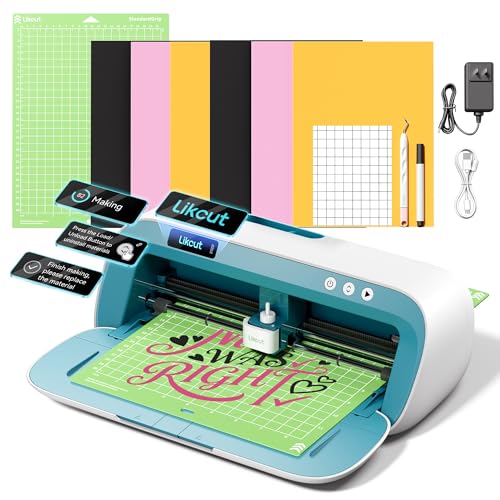
The Likcut S41 is positioned as an essential starter bundle for DIY crafts. It emphasizes a streamlined 3-step workflow, dual-mode connectivity, and micro-precision control with a tight tolerance of 0.2 mm. This combination supports quick project turnaround, reliable cuts, and easy setup for home printers and classrooms. Best for beginners and intermediate users who want a straightforward path from design to finished decal.
Who it’s best for: beginners or DIY enthusiasts who want an approachable setup. Why selected: clear workflow and stable connectivity reduce mid-cut interruptions. Limitation: may offer fewer advanced features than premium desktop cutters.
VEVOR Vinyl Cutting Machine, 12 in

This VEVOR model focuses on convenience with button and screen controls, plus a library of 20,000+ built-in design resources. It is compatible with Mac, Windows, Android, and iOS, enabling cross-device design and direct transfer of projects to vinyl. Best for users who want a plug-and-play experience with broad software support. Limitation: large design libraries can be overwhelming to navigate for new users.
Cricut Joy Xtra Digital Version

The Cricut Joy Xtra brings versatility to budget-conscious crafters. It can cut a wide range of materials and can draw, foil, and Print-Then-Cut when paired with compatible printers and software. This model is particularly appealing for those who want a compact, all-in-one solution for cards, decals, and small apparel projects. Best for beginners and casual hobbyists who prioritize flexibility without a large footprint. Limitation: advanced features may require additional accessories or subscriptions.
Cricut Maker 4 T-Shirt Bundle

The Cricut Maker 4 bundle combines a versatile cutting machine with an EasyPress SE heat press and HTV materials to enable end-to-end t-shirt production. It supports design, cut, and heat-press steps with professional-looking results. Best for hobbyists and small businesses seeking an all-in-one system for apparel, tote bags, and more. Limitation: higher upfront cost and a learning curve for new users exploring advanced features.
Likcut Vinyl Cutter Machine S501
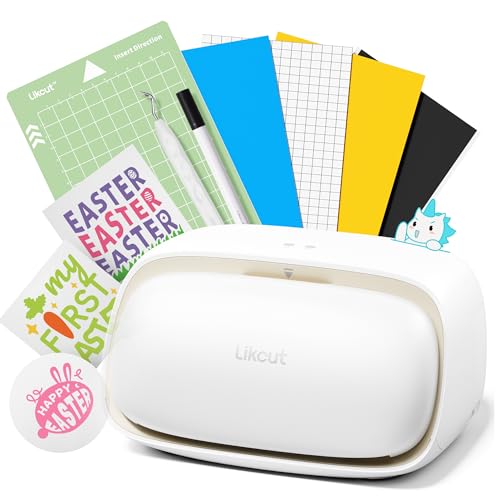
The Likcut S501 is a smart, compact sticker maker designed for vinyl and paper crafts, ideal for decal projects and small gifts. It emphasizes portability, Bluetooth, and USB connectivity with a quick setup. Best for students, hobbyists, and party planners who need a portable cutter with reliable connectivity. Limitation: compact form may limit large-format projects and thick materials.
Buying Guide: How to Choose the Right Vinyl Cutter for T-Shirts
- Project size and material: Choose a cutter with a wide cutting width if you plan large decals or multi-color designs on apparel. For simple logos and text, a compact unit may suffice.
- Connectivity and software: Look for machines offering stable USB/Wi-Fi or Bluetooth connections and compatible design software. Consider whether you prefer mat-based loading or mat-free operation.
- Hardware and precision: Precision to within a small fraction of an inch matters for fine details. A robust feed system reduces misalignment during long runs.
- All-in-one vs stand-alone: Some bundles include heat presses, mats, and ready-to-use materials. If you want an end-to-end workflow, a bundled kit may save time and setup effort.
- Ease of use: Mat-free loading, intuitive displays, and guided setups help beginners. Quiet operation is a plus for home studios or classrooms.
- Portability and space: If you have limited space, consider a compact cutter, like the Cricut Joy Xtra, or plan a dedicated craft corner for larger formats.
Frequently Asked Questions
- What should I consider first when buying a vinyl cutter for t-shirts?
Size of designs, material compatibility, and software ecosystem are primary considerations. Start with the projects you plan most often and ensure the machine supports those materials and formats.
- Do I need a heat press along with a vinyl cutter?
Not always. For HTV designs on t-shirts, many buyers pair a cutter with a compatible heat press or use iron-on methods. Bundles with a heat press simplify the process for beginners and small shops.
- Is mat-free loading better than mat-based loading?
Mat-free loading speeds up workflow and reduces material waste for some users, but mats can help with alignment on tricky substrates. Choose based on your most common materials.
- Can these machines handle complex multi-color designs?
Yes, many models support detailed vector cuts, though some may require more advanced software or separate design steps. Check the device’s precision and material compatibility.
- Which cutter is best for beginners?
Entry-level kits with guided workflows, straightforward interfaces, and included design resources tend to be easiest to start with. Look for bundles that include instructional materials.
- Are these cutters compatible with Windows and Mac?
Most modern cutters support Windows and macOS; some, like the VEVOR and LIKCUT options, also work with mobile operating systems, expanding flexibility for different workspaces.
Leave a Reply